



The goal is to easily create a list of products that you order regularly. This way, you do not have to search for them again each time and you can reorder the same items with just one click. This is especially useful when you work with a fixed assortment, but also for keeping a list ready for your next order. We have added some very useful updates to this feature!
We have improved the order list(s)
What has improved?
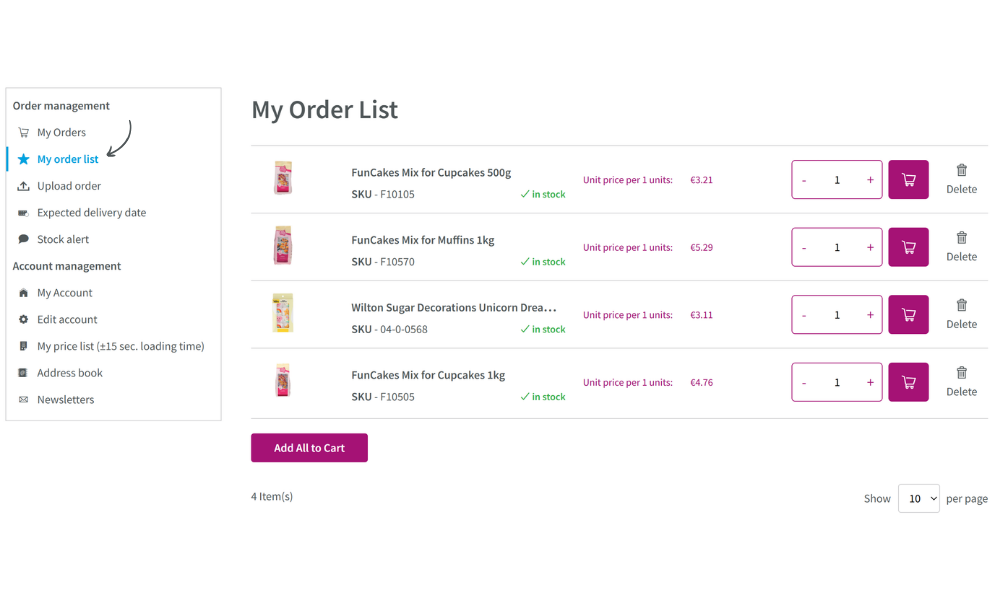
An important improvement is that products in the order list no longer disappear once you add them to your shopping cart. They remain saved unless you remove them yourself. This means you can continue using your list, making it even easier to place orders.
Another very useful update
Have you already seen that we have also added icons to your account overview? Thanks to these icons, you can now find everything much faster. A useful, but also fun improvement within your account!
How do you use the order list?
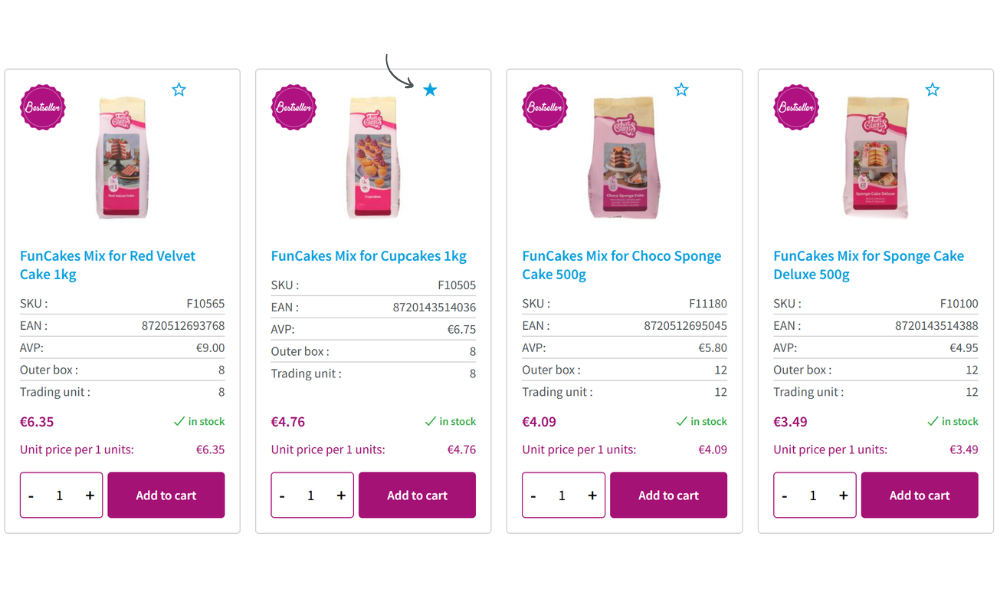
First, search for the desired product and click on the star to add it to your list. Then go to “My Account” and select “Account Dashboard”. Under “Order Management”, you will find your saved list under “My Order List”. When you are ready to order, click on “Add all to shopping cart”. This will add all products to your shopping cart at once. They remain saved, so you can order them again next time. Very simple and easy to use!
Are you having problems creating an order list? Please contact our customer service team, they will be happy to help!